A.I. PRIME - Article
Event-Driven Routing: Reducing Operational Latency with Intelligent Triggers
Master event-driven routing to slash operational latency and automate B2B workflows with intelligent triggers and real-time processing.


Event-driven routing is how modern, responsive B2B operations cut response times and eliminate polling delays. Instead of waiting for scheduled checks or synchronous requests, systems react instantly when something meaningful happens - routing that event to exactly the right handler. For founder-led teams managing support queues, sales follow-ups, or order workflows, this means faster resolution, happier customers, and measurable operational wins.
This post covers what event-driven routing is, why it cuts latency, practical design patterns, implementation strategies, and real-world examples you can apply to your operations today.
What is Event-Driven Routing?
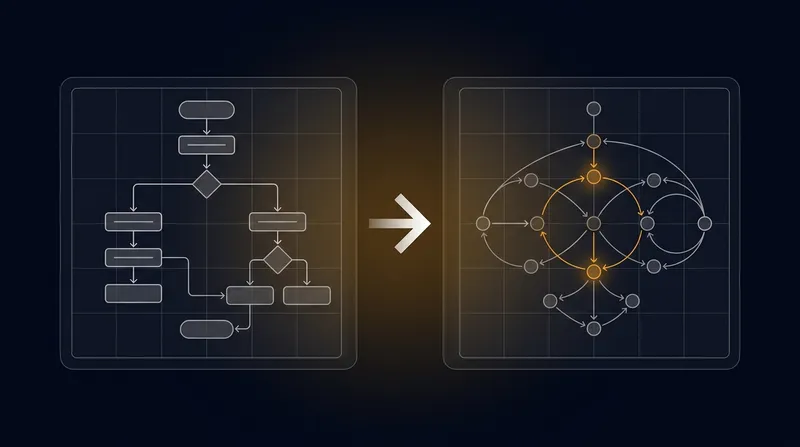
Event-driven routing is the practice of capturing discrete state changes or actions - events - and immediately directing them to the right services or handlers. Instead of a central system polling for updates or waiting for scheduled tasks, the system wakes up and reacts only when something happens. Learn more in our post on Event-Driven Routing: How to Cut Operational Latency with Intelligent Triggers.
Think of it like a support ticket system: instead of your team checking an email inbox every 5 minutes, a new email triggers an immediate event. That event is routed to the right handler - maybe it's a qualification rule that auto-assigns it to sales, or a knowledge lookup that auto-responds to common questions. The work happens now, not after the next polling cycle.
Core Components
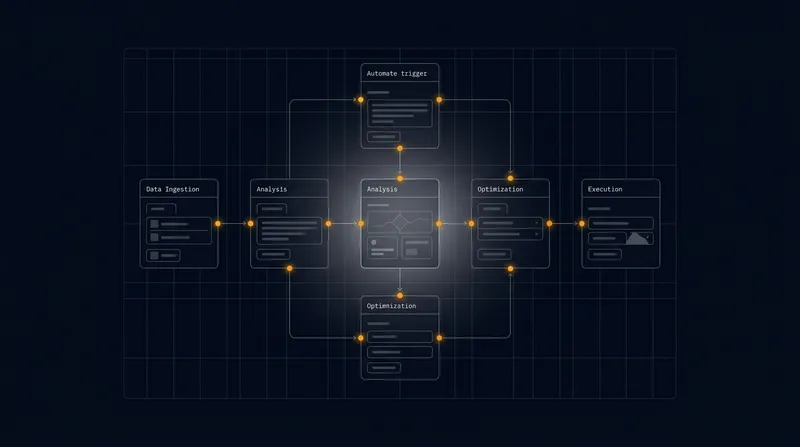
- Event producers: Systems that emit events when something notable happens - a new lead arrives, an order is placed, a support ticket lands, a customer updates their profile.
- Event consumers: Services that subscribe to and act on those events - a sales follow-up system, an inventory manager, a support classifier, an analytics pipeline.
- Router or broker: The component that decides where each event goes - could be a message queue like Kafka or RabbitMQ, an API gateway, or a custom event router.
- Intelligent triggers: Rules or conditions that control routing - filters, priorities, transformations, and destination mappings that decide which handler processes which event.
Together, these pieces form a system that propagates state changes instantly and deterministically, turning reaction time from minutes or hours into seconds or milliseconds.
How Event-Driven Routing Reduces Operational Latency
Operational latency is the time between when something happens and when your team can act on it. Traditional systems introduce latency through polling intervals, synchronous request chains, centralized bottlenecks, and unnecessary data movement. Event-driven routing attacks each of these problems. Learn more in our post on How AI-Powered Automation Drives Sustainability and Operational Efficiency.
The Latency Problem in Traditional Systems
In a polling-based system, a background job might check for new support tickets every 60 seconds. If a ticket arrives 1 second after a check, your team waits 59 seconds before they even know about it. Multiply that across multiple systems - checking for new leads, checking order status, checking escalations - and you're losing minutes of productive time every day.
Synchronous request chains add more latency: a sales system waits for a CRM lookup, which waits for a database query, which waits for network I/O. If any step is slow, the whole chain slows down. And if a service crashes or is slow, the entire workflow stalls.
How Event-Driven Routing Cuts Through This
First, it eliminates polling delays. The moment a ticket arrives, an event fires. Your system reacts immediately, not on the next cycle. For teams handling dozens or hundreds of inbound events daily, this alone can save hours of cumulative wait time.
Second, it enables parallel processing. Instead of handling tasks sequentially, an event can be routed to multiple handlers at the same time. A new lead event can simultaneously trigger a qualification check, a CRM entry, and a welcome email - all in parallel, not one after another. This dramatically reduces end-to-end latency for complex workflows.
Third, it removes central bottlenecks. Events are routed to the service that can handle them locally, without passing through a central monolith. A support ticket doesn't need to travel through three layers of middleware to reach the classifier - it goes directly.
Fourth, it allows intelligent prioritization. A critical alert can be routed to a fast-path queue while routine analytics events go to a slower batch processor. Your system handles what matters first.
Measurable Improvements
- Elimination of polling delays: Reaction is immediate, not waiting for the next scheduled check. For a 60-second polling interval, you cut average latency by 30 seconds per event.
- Reduced queuing time: Intelligent routing places events on the most appropriate channel, avoiding bottlenecks and prioritizing urgent work.
- Parallel processing: Multiple handlers process the same event simultaneously, reducing end-to-end workflow time from sequential to parallel.
- Context-aware prioritization: Critical events (escalations, high-value leads) are processed first; low-priority work (bulk analytics) waits.
For B2B support and sales operations, this typically translates to 30 - 90 second improvements in first response time, and 50% - 70% reductions in time-to-action for routine workflows.
Design Patterns for Event-Driven Routing in B2B Operations
There are several proven patterns for implementing event-driven routing. The right one depends on your team size, latency requirements, and integration complexity. Most founder-led teams use a hybrid approach. Learn more in our post on Integration Patterns for Autonomous Agents: APIs, Event Streaming, and Connectors at Scale.
1. Topic-Based Pub/Sub Routing
In this pattern, producers publish events to named topics and consumers subscribe to the topics they care about. A message broker handles the routing.
Example: A support ticket system publishes to a support.ticket.created topic. A classifier service subscribes and processes all new tickets. An analytics service subscribes to the same topic and logs metrics. Both happen in parallel.
Best for: Broad dissemination where multiple teams need the same event. Easy to add new consumers without changing the producer.
Trade-off: Topic names must be agreed upon in advance. Adding new routing rules requires new topics or consumer-side filtering.
2. Content-Based Routing
The router inspects the event payload and routes based on rules. A high-value lead goes to one queue, a low-value lead to another. A support ticket about billing goes to the billing team, a product question to support.
Example: A lead event arrives with source: "demo_request" and budget: "$100k+". A routing rule says: send this to the high-priority sales queue. Another lead with source: "content_download" and budget: "TBD" goes to nurture.
Best for: Multi-tenant systems, dynamic workflows, and teams that need flexible routing without changing code.
Trade-off: Content inspection adds latency. Requires careful rule design to avoid performance impact.
3. Event Sourcing with CQRS
All state changes are captured as events and persisted. Separate read and write models allow different services to subscribe to the event stream and build their own views of data.
Example: A customer profile update is captured as a customer.updated event. A CRM service reads this and updates the customer record. A support system reads it and updates the support profile. An analytics pipeline reads it and logs the change. Each system has its own optimized data model.
Best for: Audit trails, compliance-heavy workflows, and systems where historical traceability is critical.
Trade-off: More complex to implement. Requires careful event versioning and replay strategies.
4. Serverless and Edge Routing
Routing decisions are made at the edge - in API gateways, edge functions, or lightweight routers - before events reach backend systems. This minimizes network hops and latency.
Example: A webhook arrives at an API gateway. A lightweight function checks the event type and routes it to the right backend service - sales events to the sales system, support events to the support system. The gateway makes the decision in <10ms and forwards the event.
Best for: High-volume inbound webhooks, global APIs, and scenarios where every millisecond counts.
Trade-off: Requires edge infrastructure. Routing logic must be lightweight and stateless.
5. Hybrid Approach (Recommended for Most Teams)
Most effective systems combine these patterns. Use topic-based pub/sub for broad event distribution, content-based filters for precision routing, and lightweight edge functions for fast-path decisions.
Example workflow: A new lead arrives. An edge function routes it based on source. Critical leads go to a high-priority queue; others to standard. The lead event is published to a lead.created topic. A qualification service subscribes and processes. A CRM service subscribes and logs. An analytics service subscribes and batches. All happen in parallel, but critical leads are prioritized.
Implementation Strategies and Best Practices
Building event-driven routing requires attention to event design, trigger logic, state management, and observability. Here are the practices that work.
1. Define Clear, Versioned Event Contracts
Before you build, define what each event looks like. Use a schema (JSON Schema, Avro, or Protobuf) and version it. This prevents parsing errors, makes routing decisions faster, and keeps producers and consumers in sync.
Good event contract example:
{
  "event_type": "support.ticket.created",
  "event_version": "1.0",
  "timestamp": "2025-01-15T14:32:00Z",
  "ticket_id": "TKT-12345",
  "priority": "high",
  "category": "billing",
  "source": "email",
  "customer_id": "CUST-789",
  "subject": "Billing discrepancy"
}
Notice the metadata fields: event_type, priority, category. These make routing fast and declarative. You don't need to parse the subject to decide where this ticket goes - the priority and category fields tell you immediately.
2. Keep Routing Logic Lightweight and Fast
Routing decisions should be quick. If you're inspecting every event payload for complex conditions, you've added latency back into the system. Keep routing rules simple: check a few metadata fields, apply a priority, route to a destination.
If you need complex processing - enrichment, external lookups, heavy computation - do it downstream, in a dedicated service, not in the router.
Slow routing (avoid): Inspect the event payload, look up the customer in the database, check their subscription status, query an external API for enrichment, then decide where to route. This adds hundreds of milliseconds.
Fast routing (do this): Check the priority and category fields, apply a rule, route to a queue. The downstream service can do the enrichment and lookups.
3. Prioritize and Throttle Intelligently
Not all events are equal. High-value leads deserve faster processing than bulk marketing events. Escalations deserve faster processing than routine tickets. Build priority into your routing.
Example: Route events with priority: "critical" to a low-latency queue with 2 workers. Route priority: "normal" to a standard queue with 1 worker. Route priority: "batch" to a batched processing job that runs every 5 minutes.
Also implement throttling and backpressure. If a downstream service is overloaded, slow down the inbound rate rather than queuing infinitely. This prevents cascading failures and keeps latency predictable.
4. Keep State Local and Cached
If a handler needs customer data to process an event, don't make it query a remote database every time. Cache frequently accessed data locally or use a read-optimized projection updated by the event stream.
Example: A support classifier needs to know the customer's subscription tier to route tickets correctly. Instead of querying the database for each ticket, maintain a local cache of customer tiers updated by a customer.subscription_changed event. The classifier looks up the tier in memory - microseconds instead of milliseconds.
5. Choose the Right Transport
Different messaging systems have different latency profiles. For ultra-low-latency paths, use in-memory brokers or streaming platforms optimized for speed. For durability and replayability, use persistent brokers with replication.
For B2B operations: RabbitMQ, Kafka, or cloud-native services like AWS SQS/SNS or Google Cloud Pub/Sub work well. Choose based on your latency requirements and whether you need message replay.
Also tune serialization. Binary formats like Protobuf are faster than JSON. If you're processing thousands of events per second, serialization speed matters.
6. Instrument Everything from Day One
Collect metrics: event arrival rate, routing latency, queue depths, consumer processing time, error rates. Correlate events with distributed traces so you can see the full path from event to completion.
Key metrics to track:
- Event arrival rate (events/second)
- Routing decision latency (milliseconds)
- Queue depth (number of pending events)
- Consumer processing latency (time to handle one event)
- End-to-end latency (event arrival to completion)
- Error rate and error types
Without observability, latency issues are invisible. With it, you can identify slow paths and prioritize improvements.
Intelligent Triggers: Types and Examples
Triggers are the rules that control routing. Well-designed triggers are the difference between a system that reacts instantly and one that's still slow.
Attribute-Based Triggers
Route based on event metadata like priority, type, or source. These are fast because they don't require payload inspection.
Example rules:
- If
event_type == "support.ticket.created"andpriority == "critical", route tocritical_queue. - If
source == "inbound_email", route toemail_processor. - If
category == "billing", route tobilling_team.
Content-Based Triggers
Inspect the event payload and route based on content. More powerful but slower - use sparingly.
Example rules:
- If
deal_value > $50000, route toenterprise_queue. - If
subject contains "urgent", setpriority = "high". - If
customer_tier == "premium", route topremium_support.
Temporal Triggers
Route based on time or rate. Useful for batching, throttling, or time-sensitive workflows.
Example rules:
- Batch analytics events into 1-minute windows for cost-effective processing.
- Route errors immediately to monitoring; batch routine logs every 5 minutes.
- If event arrival rate exceeds 1000/second, activate backpressure.
Composite Triggers
Combine multiple conditions for rich routing logic. But optimize to avoid latency creep.
Example rule: If event_type == "lead.created" AND source == "demo_request" AND budget >= "$50k" AND sales_team.is_healthy == true, route to high_priority_sales_queue. Otherwise, route to standard_queue.
This rule combines attribute checks (type, source, budget) and external context (team health). It's powerful but requires careful implementation to stay fast.
Monitoring, Testing, and Reliability
Event-driven systems are only valuable if they're reliable. Monitoring and testing are non-negotiable.
What to Monitor
- Event arrival rate and burstiness: Are events arriving steadily or in spikes? Spikes stress your system.
- Routing latency: How long does the router take to make a decision and forward the event?
- Queue depth: How many events are waiting? Growing queues signal a bottleneck.
- Consumer latency: How long does each handler take to process an event?
- End-to-end latency: From event emission to completion - this is what users feel.
- Error rate: What percentage of events fail? What types of errors?
Set up dashboards and alerts. If routing latency spikes, you want to know immediately. If a queue is backing up, you want to know before it becomes a crisis.
Testing Strategies
Unit tests: Test individual routing rules. Does the rule correctly identify high-priority events? Does it correctly filter by category?
Integration tests: Test end-to-end flows. Emit a lead event and verify it reaches the right queue. Emit a support ticket and verify it's classified correctly.
Load tests: Simulate realistic event volumes. How does latency behave at 100 events/second? At 1000? Where's the breaking point?
Chaos tests: Simulate failures. What happens if a downstream service crashes? Does the system degrade gracefully or cascade into failure?
Reliability and Fault Tolerance
Design for failure. Use redundant brokers, replication, and durable storage. Implement idempotent handlers so retries don't cause duplicate work. Design dead-letter queues to capture events that fail repeatedly so you can inspect and fix them.
Consider your delivery guarantees: do you need exactly-once delivery (complex but safe), at-least-once with deduplication (common), or at-most-once (fast but risky)? Choose based on your business requirements.
Real-World Examples: Event-Driven Routing in B2B Operations
Support Ticket Routing
Problem: Support tickets arrive via email, chat, and forms. Your team checks each channel manually, causing delays and missed tickets.
Solution: Emit a support.ticket.created event for every incoming ticket. Route based on category and priority:
- Billing issues go to the billing team.
- Product questions go to support.
- Critical issues (outages, security) go to a fast-path queue with immediate notification.
- Routine questions are routed to a knowledge system for auto-response.
Result: Tickets are classified and routed instantly, not after a manual review. Critical issues reach the team in seconds. Routine questions are answered automatically. First response time drops from hours to minutes.
Sales Lead Qualification
Problem: Leads arrive from multiple sources. Your sales team manually reviews them, applies scoring, and assigns them - a process that takes hours.
Solution: Emit a lead.created event. Route based on source and engagement:
- High-intent leads (demo requests, high budget) go to account executives immediately.
- Mid-market leads go to the sales development team.
- Low-intent leads go to nurture campaigns.
An intelligent trigger qualifies each lead in milliseconds based on source, budget, company size, and engagement signals. No manual review needed.
Result: Hot leads are contacted within minutes, not days. Sales team spends time on qualified opportunities, not triage. Win rates improve because you're faster than competitors.
Order Processing and Fulfillment
Problem: Orders arrive. Your team manually triggers inventory checks, payment processing, and fulfillment - a sequence that takes 30 minutes per order.
Solution: Emit an order.created event. Route simultaneously to:
- Inventory service (check stock, reserve items)
- Payment processor (charge the card)
- Fulfillment service (pick and pack)
- Customer notification (send confirmation email)
- Analytics (log the order)
All happen in parallel. If payment fails, a payment.failed event triggers a retry or notification to the customer. If inventory is low, an inventory.low event triggers a reorder.
Result: Orders are fulfilled in minutes, not hours. Customers get confirmation emails instantly. Your team spends time on exceptions, not routine processing.
Common Pitfalls and How to Avoid Them
Pitfall 1: Over-Complicated Routing Logic
If your routing rules are complex and slow, you've defeated the purpose. Keep routing simple. Push complex business logic downstream to dedicated services.
Fix: Audit your routing rules. If any rule takes more than a few milliseconds, simplify it or move it downstream.
Pitfall 2: Wrong Choice of Transport
Using a slow or over-engineered messaging system can negate your latency gains. Choose a transport that matches your latency and durability requirements.
Fix: For low-latency paths, use fast brokers. For durability, use persistent brokers. For most B2B operations, RabbitMQ or Kafka work well.
Pitfall 3: No Observability
Without metrics and traces, latency issues are invisible. You can't optimize what you can't measure.
Fix: Instrument your routing layer from day one. Collect latency metrics, queue depths, error rates. Set up dashboards and alerts.
Pitfall 4: Ignoring Backpressure
If a downstream service slows down, your system can queue up infinitely, causing memory bloat and cascading failures. Design throttling and backpressure.
Fix: Implement rate limiting. If a queue exceeds a threshold, slow down the producer. Use dead-letter queues to capture events that can't be processed.
Pitfall 5: Inconsistent Event Schemas
If events don't follow a consistent schema, routing becomes fragile. Producers emit different formats, consumers break, and latency suffers.
Fix: Define and enforce event contracts. Use a schema registry. Version your schemas. Make schema evolution a deliberate, tested process.
Getting Started: A Roadmap for Founder-Led Teams
If you're new to event-driven routing, here's a practical roadmap:
- Identify your slowest workflow. Is it support ticket triage? Lead qualification? Order fulfillment? Pick the one that causes the most pain.
- Design a minimal event contract. What does an event for this workflow look like? Define the schema.
- Choose a transport. Pick a messaging system (RabbitMQ, Kafka, or cloud-native service). Set it up.
- Build a basic router. Implement simple routing rules for your workflow. Start with 2 - 3 rules.
- Measure the impact. How much faster is the workflow now? What's the latency improvement?
- Add observability. Collect metrics. Set up dashboards. Identify bottlenecks.
- Iterate. Optimize your routing rules. Add new event types. Expand to other workflows.
- Scale. As volume grows, upgrade your broker and add more consumers. Keep the core routing logic simple.
Start small, prove value, then expand. Most teams see measurable improvements (30 - 90 second latency reductions) within weeks.
Conclusion
Event-driven routing is how modern B2B operations cut latency and scale without adding headcount. By reacting to events instantly, routing them intelligently, and enabling parallel processing, you transform response times from hours to minutes or seconds.
The key is simplicity: clear event contracts, lightweight routing logic, intelligent triggers, and relentless observability. Start with your slowest workflow, measure the impact, and expand from there.
Whether you're managing support tickets, qualifying leads, or processing orders, event-driven routing gives you the operational leverage that founder-led teams need to compete with larger organizations. You respond faster, your customers are happier, and your team focuses on high-value work instead of manual triage.
The difference is measurable and immediate. Start building today.
Next step
Book the Opportunity Sprint